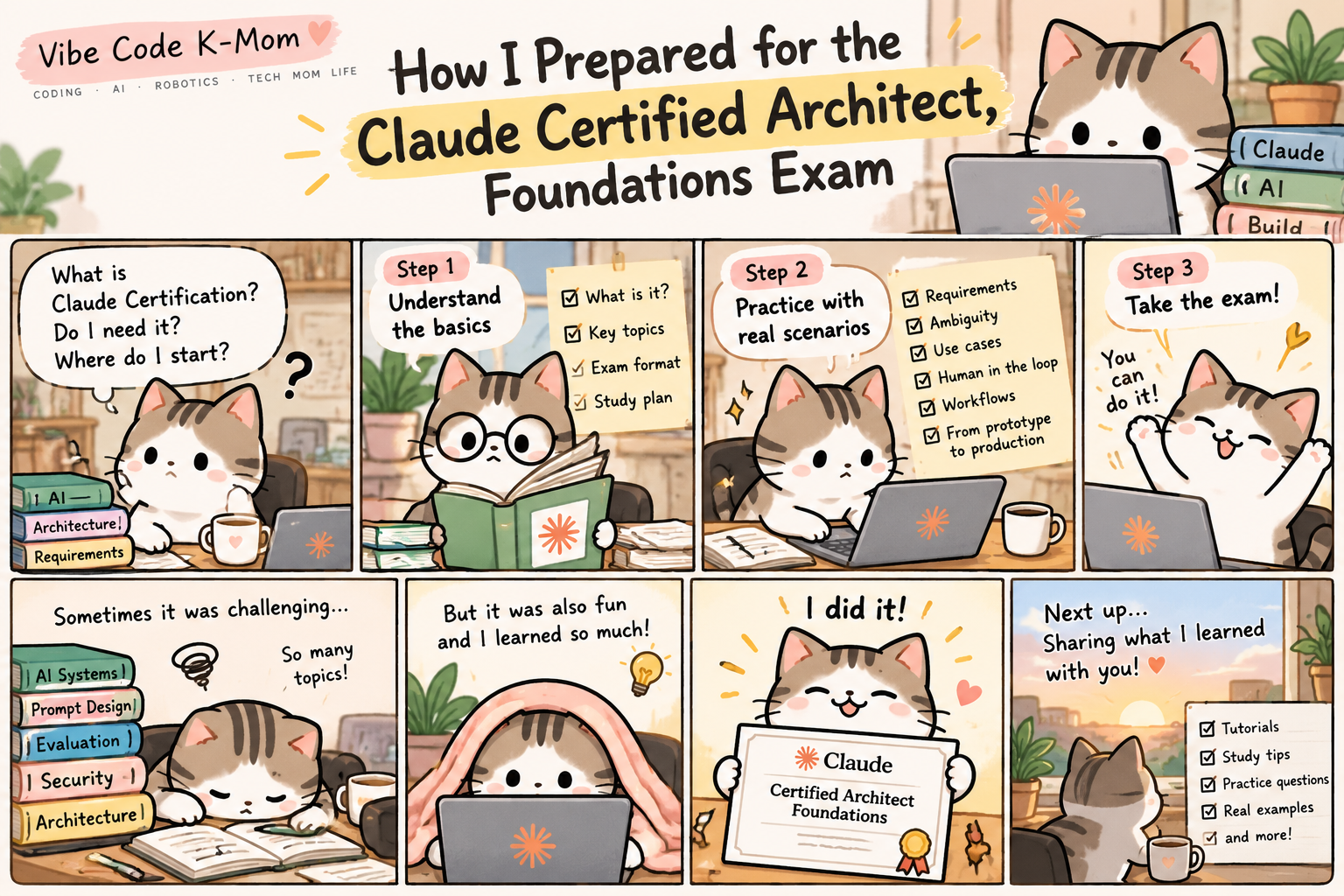
AI is quickly becoming part of how software teams design, build, and operate real systems. As a software engineer working with cloud infrastructure, monitoring, automation, and AI-assisted workflows, I wanted to understand Claude beyond simply writing better prompts.
That led me to the Claude Certified Architect, Foundations certification.
In this post, I want to share why I decided to study for the certification, what I focused on, and what I learned along the way.
What Is Claude Certified Architect, Foundations?
Claude Certified Architect, Foundations is a technical certification from Anthropic designed around building and deploying solutions with Claude.
What interested me most was that the learning goes beyond simply asking Claude good questions.
It encourages you to think about the entire AI-enabled system:
- How should requirements be defined?
- What context should Claude receive?
- When should a task remain under human control?
- How should multi-step AI workflows be structured?
- How do you evaluate whether Claude’s output is actually reliable?
- When does an AI prototype become a production system that other people depend on?
That last question was especially interesting to me because it connects directly to the work software engineers and architects already do.
Why I Decided to Study for It
I already use AI tools as part of my technical work, but I wanted to understand the architecture behind effective AI systems rather than treating AI as just another productivity tool.
There is a big difference between:
“Ask Claude to do something.”
and
“Design a reliable workflow in which Claude performs part of a larger system.”
The second requires much more thinking about requirements, context, tools, validation, human approval, and failure cases.
That became one of the biggest themes in my preparation.
1. Start With Clear Requirements
One of the first lessons is surprisingly traditional: good AI systems still need good requirements.
Consider these two requirements:
The system must export reports in PDF and CSV formats.
and
The system should handle a large number of concurrent users.
The first is relatively testable.
The second raises immediate questions.
What does “large” mean?
100 users?
1,000?
10,000?
What response time is acceptable?
A requirement that sounds reasonable to a business user may still be too ambiguous for an engineer—or an AI agent—to implement consistently.
My takeaway was simple:
Before asking AI to build something, make the requirement testable.
2. Think in Workflows, Not Just Prompts
Another important shift for me was thinking beyond individual prompts.
A real business process might look like:
Input → Extract → Analyze → Generate → Review → Approve
Claude may perform several of these steps, but that does not mean Claude should control every decision.
For example, in a contract-review workflow, Claude might:
- extract clauses,
- compare them with a playbook,
- identify unusual terms,
- summarize potential issues.
But approving a contractual change and signing the contract should remain with the authorized human decision-maker.
This idea of intentionally deciding where humans remain in control is important when AI moves from experimentation into real business workflows.
3. Learn to Identify Ambiguity
I spent time practicing how to recognize instructions that different people—or different AI runs—could interpret differently.
Words such as:
- fast
- large
- appropriate
- user-friendly
- secure
- soon
- significant
often need measurable definitions.
For example:
Instead of:
The dashboard should load quickly.
A stronger requirement might define a target response time and the conditions under which it should be measured.
This sounds like a small difference, but it can completely change implementation and testing.
4. Understand Human-in-the-Loop Decisions
One of the concepts I found most useful was deciding which tasks AI can assist with and which decisions should remain human-retained.
AI can be very useful for:
- extracting information,
- summarizing documents,
- comparing information,
- identifying patterns,
- generating drafts,
- suggesting possible actions.
But some decisions carry authority, accountability, or significant consequences.
Those workflows may require explicit human review or approval.
The important question isn’t simply:
“Can Claude do this?”
A better architecture question is:
“What should Claude do, and where should a human remain responsible?”
5. Know When an AI Artifact Becomes a System
This was another concept that changed how I think about AI projects.
Imagine that you create a small Claude-powered dashboard for yourself.
At first, it is just an experiment.
Then your team starts using it.
Later, three departments depend on it every day for reporting.
At that point, the technical expectations change.
You now need to think about things such as:
- reliability,
- access control,
- monitoring,
- testing,
- versioning,
- data handling,
- failure recovery,
- ownership,
- maintenance.
The prototype has effectively become part of the organization’s operational infrastructure.
This is where software architecture becomes just as important as prompting.
What I Focused on While Studying
Rather than memorizing individual answers, I tried to understand the reasoning behind each scenario.
For every question, I asked myself:
What is the actual business requirement?
What is ambiguous?
What should Claude handle?
What should a human control?
How would I verify the result?
What changes if this becomes production-critical?
That approach made the material much easier to understand.
What I Learned
My biggest takeaway from studying Claude architecture is that successful AI implementation is not primarily about writing clever prompts.
It is about designing reliable systems around AI.
You still need many of the same engineering principles we have always needed:
clear requirements, good architecture, testing, observability, security, and human accountability.
Claude changes what we can automate.
It doesn’t eliminate the need to design the system carefully.
What’s Next
I’m going to turn my study notes into a series of practical posts covering topics such as:
- Claude requirements and use cases
- ambiguous requirements
- human-in-the-loop workflows
- context and prompt design
- evaluating Claude’s responses
- artifacts versus production systems
- practice scenarios with explanations
I’ll focus less on memorizing answers and more on understanding why one approach makes more sense than another.
If you’re studying Claude architecture—or simply trying to use AI more effectively in real software projects—I hope this series helps.
Welcome to Vibe Code K-Mom. Let’s learn, build, and experiment with AI together.
🐱 Ready to Study?
While preparing for the Claude Foundations certification, I organized my study notes by domain and focused on understanding the concepts through practical examples rather than simply memorizing them.
I’ve turned those notes into a Korean study guide on Vibe Code K-Mom.
The guide covers topics such as prompting, task decomposition, iteration, workflow design, and other concepts from my Foundations study journey.
👉 Start the Claude Foundations Study Guide
각 주제는 한국어 설명, 실제 예제, 그리고 🐱 Vibe Code K-Mom의 간단한 illustrations와 함께 정리하고 있습니다.
Leave a Reply